
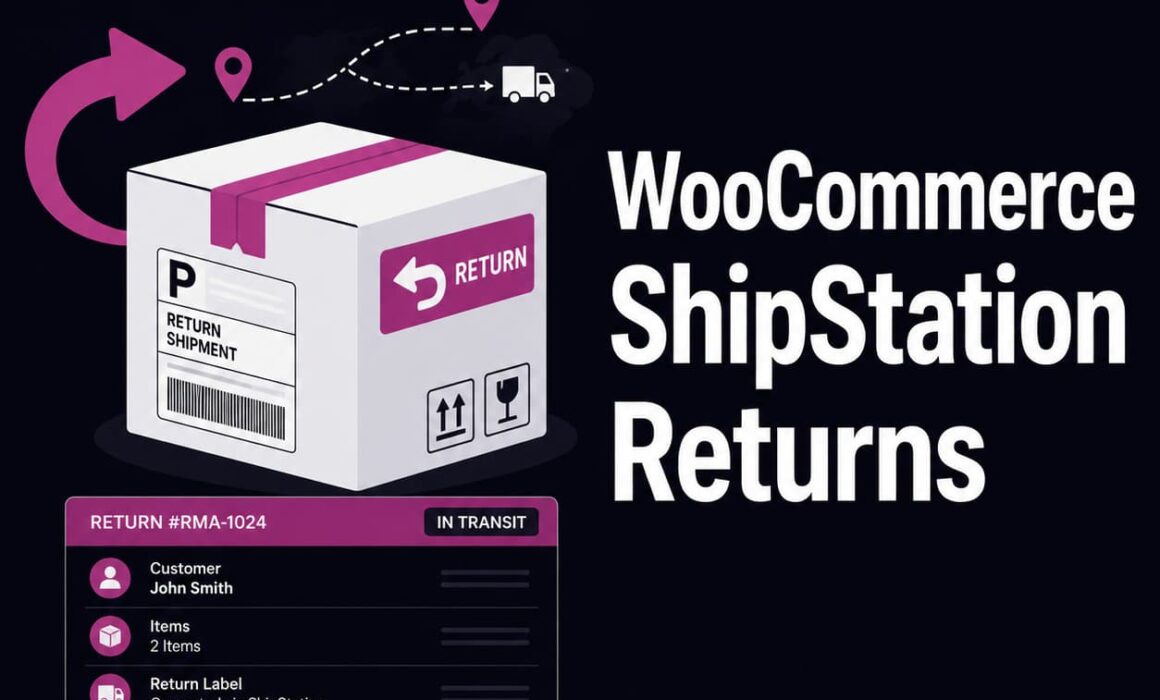
WooCommerce ShipStation Returns: Automate Labels and Return Management
Generating a return label is only one part of managing an ecommerce return. The real challenge is connecting the customer’s request, the store’s approval, the ShipStation label, the tracking journey and the final refund or exchange. Without a proper WooCommerce ShipStation returns workflow, these steps often sit across separate systems, order notes and email conversations.
That creates unnecessary administration. Staff copy addresses into ShipStation, download labels manually, email customers separately and then try to remember which return belongs to which WooCommerce order. As return volume grows, the process becomes slower and more prone to mistakes.
RMA Pro for WooCommerce connects ShipStation return labels with a structured RMA workflow, helping stores manage return requests, approvals, tracking, refunds, exchanges and store credit from one organised process.
Why WooCommerce ShipStation returns need more than a label
ShipStation is useful for creating shipping labels and managing parcel services, but a return starts before a label is generated and continues after the parcel has been dispatched.
The store still needs to determine:
- Whether the item is eligible for return.
- Whether the customer wants a refund, exchange or store credit.
- Who should pay for the return label.
- Which carrier and service should be used.
- Whether the returned parcel has started moving.
- What action should happen when the item arrives.
- Whether the final refund or replacement has been completed.
If these decisions are managed through email while the label is created separately in ShipStation, the business does not have one reliable record of the return.
Operational point: ShipStation handles the parcel element of the return. A proper RMA system controls the wider return decision, customer communication and final resolution.
This distinction matters because most return problems are not caused by the label itself. They are caused by unclear eligibility, missing information, incorrect refund values, unrecorded exchanges and poor visibility between customer service and warehouse teams.
How a WooCommerce ShipStation returns workflow should operate
A well-designed return process should connect each stage instead of treating the label as a separate administrative task.
1. The customer submits a return request
The customer selects the order, identifies the items being returned and chooses the requested outcome. Depending on store policy, this may include a refund, product exchange or store credit.
The request should capture the return reason, quantity, supporting information and any replacement product selection before it reaches the administrator.
2. The system checks eligibility
Return rules determine whether the item is still within the return window and whether any product, customer or order conditions affect the request.
This prevents staff from manually checking dates, product exclusions and customer history for every return.
3. The administrator reviews the request
The store can approve, reject or update the request from the RMA record. The original order, customer details, returned items and requested resolution remain linked together.
4. A ShipStation return label is generated
Once the return is approved, the administrator can create the return label through the configured ShipStation integration. The customer receives a clearer route for sending the parcel back, while the label remains associated with the return request.
5. Tracking becomes part of the RMA record
Tracking information can be displayed in the WooCommerce and RMA administration workflow. This gives staff a better view of the parcel journey without relying entirely on a separate ShipStation screen.
6. The return is completed
When the product arrives and is inspected, the administrator can complete the appropriate refund, exchange or store credit action and close the RMA record with a documented history.
Manual ShipStation returns vs RMA Pro
| Return task | Basic WooCommerce Returns Plugins | RMA Pro with ShipStation |
|---|---|---|
| Customer request | Basic form or customer service email | Structured returns portal linked to the WooCommerce order |
| Eligibility check | Usually checked manually | Rules can control eligibility, windows and available outcomes |
| Return label | Created separately and emailed manually | Generated through ShipStation within the RMA workflow |
| Tracking visibility | Checked separately in the carrier or shipping platform | Tracking information shown against the RMA record and activity history |
| Mixed returns | Often split into separate manual actions | Refund and exchange items can be managed within one request |
| Store credit | Manual coupon or separate plugin | Integrated store credit and wallet workflow |
| Audit trail | Scattered across emails and order notes | Dedicated RMA activity log, statuses, notes and actions |
| Scalability | Manual workload increases with return volume | Structured workflow reduces repetitive administration |
WooCommerce ShipStation returns reduce label administration
Creating return labels manually may only take a few minutes per request, but those minutes accumulate quickly.
A typical manual process involves:
- Opening the WooCommerce order.
- Copying the customer’s return address.
- Opening ShipStation.
- Creating a return shipment.
- Selecting the correct warehouse, package and service.
- Downloading the label.
- Writing a separate customer email.
- Adding a note to the WooCommerce order.
- Updating a spreadsheet or support ticket.
Even when each step is completed correctly, the process duplicates information across multiple systems.
RMA Pro reduces this duplication by keeping the return request and label workflow connected. Staff still choose the appropriate service and review the case, but they do not have to rebuild the context of the return every time they create a label.
The commercial benefit is straightforward. Less administration means lower handling costs per return and more capacity for staff to deal with genuine exceptions.
Tracking return parcels inside WooCommerce
One of the most common return enquiries is: “Have you received my parcel?”
Without tracking visibility in the RMA record, customer service staff may need to:
- Find the original order.
- Locate the return label email.
- Open ShipStation.
- Search for the return shipment.
- Open the carrier tracking page.
- Reply to the customer manually.
When ShipStation tracking information is connected to the RMA workflow, staff can inspect the return record and understand whether the parcel is awaiting collection, in transit, delayed or delivered.
Tracking updates can also form part of the activity log, giving the store a more complete history of the case.
Customer service
Can answer return status questions without chasing another team.
Warehouse
Can see which approved returns are likely to arrive next.
Management
Can identify cases delayed in transit rather than delayed internally.
This visibility does not remove the need for parcel tracking through ShipStation or the carrier. It brings the relevant tracking context into the return record where staff are already managing the resolution.
Merchant-funded and customer-funded return labels
Not every return should be funded in the same way.
A store may choose to pay for the return when:
- The item is faulty.
- The wrong product was dispatched.
- The item arrived damaged.
- The return resulted from a fulfilment error.
The store may apply a different policy when:
- The customer changed their mind.
- The wrong size was ordered.
- The customer no longer needs the product.
- The return falls outside a free returns promotion.
RMA Pro can support merchant-funded labels as well as workflows where the label cost is deducted from the final refund or store credit when the customer is responsible for the return cost.
This is commercially important because unrestricted free returns can reduce margin, especially on low-value or bulky products. The return process should reflect the store’s actual policy rather than forcing the same outcome for every request.
Rules, return reasons and administrative approval help determine when the business should absorb the cost and when a deduction may be appropriate.
Mixed refunds and exchanges in one return
Real returns are often more complicated than one product and one outcome.
Consider a customer who ordered:
- A £75 coat in the wrong size.
- A £30 accessory that arrived damaged.
- A £20 item they have decided to keep.
The customer wants to exchange the coat, refund the damaged accessory and leave the third item untouched.
A basic return form may force the customer to create separate requests or leave staff to interpret a free-text message. The return label may then be generated without a clear record of which products are expected back.
RMA Pro allows the affected items and requested resolutions to be managed within the same RMA case. The administrator can see that one item needs an exchange, another requires a refund and the remaining product is not part of the return.
The ShipStation label remains linked to the overall request, while the final actions remain item-specific.
This matters commercially because the store can preserve the value of the exchanged item instead of refunding the complete return by default.
Exchanges protect revenue after the return arrives
A return does not always mean the customer no longer wants the product. In many cases, they ordered the wrong size, colour or variation.
If the only simple option is a refund, the customer must wait for the funds and place another order. Some customers will not repurchase, particularly if the replacement is available from another retailer.
A structured exchange workflow lets the customer request a replacement product as part of the original return.
For example:
- The customer returns a medium jacket.
- They select the large variation as the replacement.
- The store approves the exchange.
- A ShipStation return label is generated.
- The parcel journey is visible against the RMA.
- The replacement is processed once the return is received and inspected.
This preserves the sale while giving the customer the outcome they originally wanted.
The WooCommerce returns and exchanges plugin workflow also gives administrators a clear record of the selected variation, reducing the risk of sending the wrong replacement.
Store credit can retain revenue when an exchange is unavailable
An exchange is not always possible. The requested variation may be out of stock or the product may have been discontinued.
In that situation, store credit gives the customer another option without immediately removing the order value from the business.
Suppose a customer returns a £110 product but cannot find a suitable replacement. The store approves £110 in store credit. Two weeks later, the customer uses the credit towards a £155 order.
The store retains the original £110 and generates an additional £45 sale.
Without an integrated store credit workflow, staff may create a coupon manually. That introduces several problems:
- The coupon may be shared.
- The balance may not be tracked properly.
- Partial use may be difficult to manage.
- Customer service may not know whether it has been redeemed.
RMA Pro includes store credit and wallet functionality within the return process, giving the store a more controlled way to retain customer value.
Return rules prevent abuse and inconsistent decisions
Return labels create a direct cost. If every customer can generate one without proper eligibility checks, the business may pay for returns that should not have been approved.
Rules help control which requests can proceed and what options are available.
High-risk customer example
A customer has repeatedly returned heavily used products or submitted conflicting damage claims. The store may require manual review before providing a ShipStation label.
The customer can still submit a request, but the workflow does not automatically offer the same treatment used for a normal return.
VIP customer example
A high-value repeat customer may receive an extended return window or a merchant-funded label as part of a premium service policy.
For example, standard customers may receive 30 days while VIP customers receive 45 days.
Product-specific example
Standard clothing may be eligible for refunds and exchanges, while personalised products may be excluded unless faulty.
Rules turn these policies into repeatable decisions. Staff do not have to remember every exception, and customers receive options based on the actual order rather than a generic form.
Return windows by zone improve operational flexibility
International returns often take longer than domestic returns. A customer in the UK may receive an order within two days, while an overseas customer may wait considerably longer.
Applying one return window to every customer can create unfair or impractical outcomes.
Return zones allow the store to use different windows for different locations. For example:
- UK customers receive a 30-day return window.
- European customers receive 35 days.
- More distant international customers receive 45 days.
The precise policy must reflect the store’s legal obligations and commercial approach, but the system should support the operational reality of different delivery and return times.
This is especially relevant when ShipStation services vary by country, warehouse or carrier availability.
Activity logs keep every return action visible
A return may be handled by customer service, warehouse staff and an ecommerce manager before it is completed.
Without a central activity history, each team may have a different understanding of the case.
An activity log provides a chronological view of:
- When the request was submitted.
- Which status changes occurred.
- When the return was approved.
- When the label was generated.
- What tracking updates were recorded.
- Which administrator notes were added.
- When the refund, exchange or credit was completed.
This reduces duplicate work. A member of staff can open the RMA record and see what has already happened rather than asking colleagues or searching through email threads.
It also improves accountability. If a case stalls, the business can identify whether the delay occurred during approval, parcel transit, warehouse inspection or final resolution.
WooCommerce ShipStation returns scale better with automation
Manual processes often appear manageable until return volume increases.
At five returns per week, copying addresses and sending labels manually may not seem significant. At 50 returns per week, the same process consumes hours and creates more opportunities for error.
Automation matters because each return contains multiple repeated tasks:
- Checking the order date.
- Confirming item eligibility.
- Recording the return reason.
- Creating the label.
- Updating the status.
- Checking tracking.
- Calculating the resolution.
- Closing the request.
RMA Pro standardises these steps while retaining administrator control over approvals and exceptional cases.
The aim is not to remove staff from the process. It is to stop staff spending time on information that the system can already collect, calculate or display.
Common mistakes when managing ShipStation return labels manually
Creating a label before confirming eligibility
The store pays for a label before checking whether the product is inside the return window or covered by the return policy.
Using the wrong return address
The label points to the wrong warehouse or location, delaying inspection and resolution.
Sending the wrong service
A low-value item is returned using an unnecessarily expensive service, reducing the margin remaining on the order.
Failing to record the tracking number
Customer service cannot quickly identify the parcel when the customer asks for an update.
Refunding the complete request incorrectly
A mixed return contains both an exchange and refund, but the full returned value is refunded because the outcomes were not clearly recorded.
Completing the refund before inspection
The store processes the refund before confirming that the correct item and quantity were returned.
A structured WooCommerce returns plugin reduces these risks by keeping the order, returned items, requested action, label and activity history together.
What to look for in a WooCommerce ShipStation integration
When evaluating a plugin, check the complete return workflow rather than focusing only on whether it can produce a label.
Does it start with an organised customer request?
The label should be generated from a clear RMA case containing the original order, affected items and requested outcome.
Can it control eligibility?
Rules should determine whether the customer can request a refund, exchange, store credit or label.
Can it handle mixed returns?
One order may contain multiple products with different resolutions.
Does it record tracking?
The administrator should be able to see the return parcel journey in the context of the RMA record.
Can label costs be handled according to policy?
The store may need merchant-funded labels for faults and customer-funded returns for change-of-mind requests.
Does it support the final outcome?
The workflow should continue through refund, exchange or store credit rather than ending when the label is created.
Is there a complete audit trail?
Statuses, notes, label activity and completion actions should remain visible for future reference.
Build a complete ShipStation return process in WooCommerce
ShipStation can simplify return shipping, but the business still needs a system to control everything around the parcel.
A complete WooCommerce ShipStation returns workflow should connect customer requests, eligibility rules, approval, label generation, tracking, inspection and final resolution.
RMA Pro brings those stages together. It gives customers a structured returns portal and gives administrators a dedicated RMA record containing the order, items, requested actions, label information, tracking updates, notes and completion history.
For stores processing regular returns, exchanges or store credit, this reduces administration and improves consistency. It also gives the business better control over label costs, return abuse and revenue retention.
To connect ShipStation return labels with a complete WooCommerce RMA workflow, explore RMA Pro for WooCommerce.
“`