
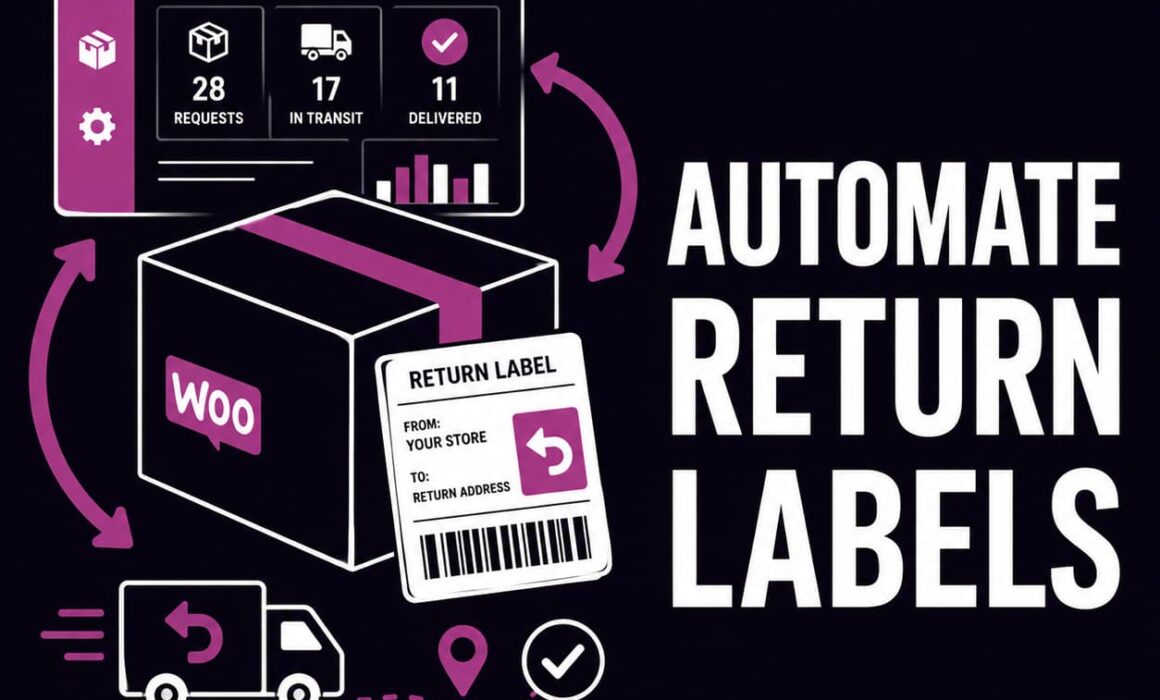
Automate Return Labels in WooCommerce: A Practical Guide for Growing Stores
If you want to automate return labels in WooCommerce, the real goal is not just producing a PDF faster. It is reducing the manual work that sits around every return. That includes deciding who qualifies, choosing the right return method, generating the label, tracking the parcel, applying the correct refund or store-credit outcome and keeping the whole process visible to your team.
Many stores start with a manual returns setup that looks manageable at low volume. Then the support inbox fills up, labels are created in a separate shipping platform, refund calculations become inconsistent and customers keep asking whether their parcel has arrived.
RMA Pro for WooCommerce is built to solve that wider problem. It combines a customer returns portal with label automation, Shippo and ShipStation support, tracking, rules, exchanges, store credit and a structured RMA workflow.
Why automate return labels in WooCommerce at all?
Return labels look like a shipping task, but in ecommerce they are tied to far more than logistics. The label sits in the middle of customer service, operations, finance and retention.
When label creation is manual, staff usually need to:
- Find the order and confirm the item is eligible.
- Review the reason for return.
- Decide whether the customer or merchant pays.
- Open Shippo, ShipStation or another shipping account separately.
- Create the return shipment manually.
- Download or copy the label.
- Email it to the customer.
- Record the tracking number somewhere else.
- Remember whether the label cost should reduce the final refund.
That process might only take a few minutes, but repeated hundreds of times it becomes expensive. It also introduces mistakes. A label may be generated for an ineligible request, the wrong service might be used, the parcel cost may be forgotten during refunding or support may have no idea where the return is without checking another system.
The key point: automating return labels in WooCommerce is not about making postage look modern. It is about turning a fragmented return process into one controlled workflow.
That matters more as a store grows. What works for ten returns a month usually breaks down at fifty or a hundred.
Why basic WooCommerce returns plugins often fall short
Many WooCommerce returns plugins provide a basic request form and a couple of statuses. That might let the customer say they want to return something, but it does not necessarily automate what happens next.
A basic plugin often leaves the merchant to handle:
- Return-label creation in a separate tool.
- Customer-specific or product-specific eligibility decisions.
- Manual exchange handling.
- Store-credit calculations outside the return workflow.
- Tracking checks in a carrier dashboard.
- Audit history across notes and emails.
That gap is where admin time expands. You have a plugin that records the existence of a return, but not a return management system that actually runs the process.
RMA Pro is different because it treats labels as part of the complete return journey. It links label workflows to the original order, the selected return method, the requested outcome and the tracking status that follows.
How RMA Pro helps automate return labels in WooCommerce
RMA Pro supports integrated return-label workflows using Shippo and ShipStation. Instead of treating label creation as a separate task, the plugin connects it to the return record inside WooCommerce.
That means the store can automate or streamline several steps at once:
- Present return methods inside the customer portal.
- Restrict which methods appear based on rules.
- Generate labels after approval when configured to do so.
- Allow administrators to generate labels manually where review is needed first.
- Store the provider, service, cost and tracking number against the RMA.
- Track the parcel from the same return record.
- Use the label cost in refund or store-credit calculations when appropriate.
The result is not just “label generation”. It is a connected workflow that reduces separate actions for support and warehouse teams.
Merchant-funded labels
For some return reasons, automation should be frictionless. If the customer received the wrong item or the product is faulty, many merchants will want to provide a merchant-funded label quickly.
With RMA Pro, a return can be approved and the label generated as part of that process. The customer receives a clear route to send the parcel back without staff needing to manually recreate the shipment outside WooCommerce.
Customer-paid or deduction-based labels
Not every return should be free to the customer. For change-of-mind returns, many stores want the convenience of providing a prepaid label without absorbing the postage cost themselves.
RMA Pro supports methods where the label cost can be deducted from a refund or store-credit outcome. It also supports customer-paid label workflows for Shippo.
This changes the economics of return labels. The customer still gets a clean, guided experience, while the merchant retains control over who funds the return.
Let customers choose a return service without losing control
A common problem with return-label automation is that the merchant either exposes too many carrier options or gives the customer no choice at all.
RMA Pro can support a workflow where the customer selects an eligible service and sees the relevant price before the return is submitted. That is especially useful where the label cost will be deducted from the return value.
Instead of support staff manually comparing rates or emailing options backwards and forwards, the service selection becomes part of the return submission.
Practical example
A customer wants to return a £65 jumper because it does not fit. The store’s policy is that sizing returns are accepted, but the customer must cover the return postage.
With a manual setup, support would typically need to tell the customer to buy their own postage or create a label and then remember to subtract its cost later.
With RMA Pro, the customer can submit the return, select an eligible service priced at £4.10 and receive the label through the defined workflow. When the refund is processed, the deducted label amount is already connected to the return record.
The commercial benefit is not only accuracy. The store avoids a separate conversation about postage while keeping the customer experience straightforward.
Basic WooCommerce Returns Plugins vs RMA Pro
| Capability | Basic WooCommerce Returns Plugins | RMA Pro |
|---|---|---|
| Customer request | Simple return form | Structured portal with item, reason, resolution and return-method selection |
| Return labels | Often manual or dependent on another plugin | Integrated Shippo and ShipStation return-label workflows |
| Funding model | Usually merchant-funded only or unmanaged | Merchant-funded, customer-paid and deduct-from-refund or credit workflows |
| Tracking | Checked in the carrier platform | Displayed inside the RMA record with parcel journey history |
| Eligibility rules | Basic global settings | Custom rules for products, categories, order age, value, metadata, risk, VIPs and zones |
| Exchanges | Usually manual | Integrated exchange workflow with replacement-order support |
| Store credit | Often not included | Wallet-based store credit with ledger tracking and coupon redemption |
| Audit trail | Basic notes | Detailed activity logs with status, label and tracking context |
For a serious store, this difference is important. You do not just need a return request button. You need a system that helps your team complete the return correctly.
Use rules to decide when return labels should be automated
Automation works best when it follows policy. Without rules, the store risks generating labels too freely or too slowly.
RMA Pro includes default and custom rules that can assess conditions such as:
- Products and categories.
- Order age and order value.
- Discounted items.
- Customer metadata.
- Return reasons.
- VIP or high-risk customer flags.
- WooCommerce return zones.
Those rules can allow, block, stop, require evidence, auto-approve or display a specific message. That matters because return labels should not be offered identically in every situation.
Scenario: controlling a high-risk customer
Suppose a customer has an unusual pattern of returns, repeatedly claims items are faulty without evidence or often returns only a small proportion of expensive orders. Automatically issuing another free label could increase losses.
A high-risk rule can force manual review, request evidence or remove merchant-funded labels from the available options. The customer can still submit a valid request, but the store no longer treats every return as low risk by default.
Scenario: giving a VIP customer an extended return window
Not every customer relationship should be handled the same way. A long-standing, high-value customer may justify a more flexible experience.
RMA Pro can support VIP handling through custom rules. For example, a standard customer may have a 30-day return window and self-funded postage for discretionary returns, while a VIP receives 45 days and a merchant-funded label.
That kind of distinction is hard to manage consistently through manual support decisions alone.
Return windows by zone help automation stay practical
One return deadline can be too simplistic for stores serving multiple regions. Domestic customers may be able to send parcels back quickly, while international customers face longer transit times and fewer convenient services.
RMA Pro can use WooCommerce zones inside custom rules, which means return windows and return-method availability can vary by region.
This matters for label automation because you do not want to auto-approve or auto-generate a label using the same expectations for every destination. A policy that makes sense for UK returns may be too rigid for overseas orders.
Zone-based control keeps the automation commercially sensible rather than technically uniform.
Why automation still needs exchanges and store credit
A return label is only the logistics layer. The store still needs to decide what happens when the returned item is accepted.
That is why label automation is much more useful inside a complete returns system than in a standalone shipping tool.
Mixed return example with exchange and refund in one request
Imagine a customer submits a return containing two items. One product is the wrong size and should be exchanged. The other is unsuitable and should be refunded.
A basic workflow might force the store to split that into separate admin tasks. One member of staff handles the refund, another creates a replacement order and the label is created elsewhere.
RMA Pro supports per-item resolution handling, which means the return can still follow a structured workflow while each item is treated appropriately. The label process stays linked to the same return record rather than becoming another disconnected task.
Store credit as a retention tool
Store credit can be a stronger commercial result than an original-payment refund. If a customer has not yet chosen a replacement product, a wallet balance can keep the value inside the business.
For example, a customer returns a £50 item. The selected label cost is £3.80 and the customer chooses store credit. Instead of sending £50 back to the card and hoping for another order later, the store issues £46.20 in credit that can be spent on a future purchase.
That is why automation matters beyond labels. The system needs to know how the return method affects the final value given back to the customer.
Tracking belongs inside the return record
Automating return labels is only half the job. Once the label exists, the store needs visibility over what happens next.
RMA Pro supports provider-neutral tracking for labels created through its Shippo and ShipStation integrations. The RMA record can show the tracking number, normalised status, latest update and the parcel journey itself.
That helps in several ways:
- Support staff can answer “have you received my return?” without leaving WooCommerce.
- Warehouse teams can see when a parcel is due.
- Finance staff can avoid refunding before the return is actually delivered and inspected.
- Managers can investigate delays or disputes with a clearer timeline.
For reference, WooCommerce merchants looking at the shipping side of returns can also review the official Shippo returns documentation and the ShipStation API documentation. RMA Pro uses these integrations to bring return-label and tracking workflows into WooCommerce.
Activity logs reduce admin confusion
Returns often move through several hands. A support agent approves the request, the customer receives the label, the warehouse receives the parcel and an administrator completes the financial action.
Without a proper activity log, staff rely on notes, inbox threads or memory. That makes it harder to understand what has already happened.
RMA Pro records activity against the RMA so teams can see status changes, label-related context and tracking events in one place. This is especially useful when a customer disputes a deduction or asks why one item was refunded while another was exchanged.
The value here is operational clarity. A store can run returns more consistently when each step is visible.
How the returns portal improves customer experience
Customers do not want to read a long policy page and guess what to do next. They want a clear route from “I need to return this” to “here is my label and I know what happens next”.
RMA Pro provides a structured returns portal where the customer can identify their order, select items, choose reasons, upload evidence if needed and select from the return methods and resolutions allowed by the store.
That reduces support workload because the customer is guided through the process instead of starting another email thread.
It also improves the quality of the information staff receive. Rather than a vague message about wanting to send something back, the RMA contains the selected items, quantities, reasons, requested outcome and return-method context from the beginning.
Why automation matters more as order volume grows
At small scale, manual work often feels acceptable because people can “just deal with it”. As order volume increases, that approach creates bottlenecks.
If label creation, tracking checks and refund adjustments each take a few extra minutes, the cumulative cost becomes significant. One hundred returns a month can easily mean many hours of repetitive admin that adds no real value.
Automation changes that by removing predictable tasks while preserving manual review where needed. Approval can trigger a label, rules can determine eligibility, tracking can update the return record and refund or credit values can reflect the selected label cost.
The business impact is practical:
- Faster turnaround for customers.
- Lower support workload.
- More consistent return-policy enforcement.
- Fewer missed deduction or refund errors.
- Better visibility for staff.
- Improved retention through exchanges and store credit.
What to look for when you automate return labels in WooCommerce
If you are comparing plugins or processes, do not stop at “can it generate a label?”. Ask whether it can do the rest of the job properly.
A useful system should help you answer:
- Who is eligible for which return methods?
- Can different customers receive different levels of service?
- Can the label cost be passed to the customer when appropriate?
- Can customers choose from valid carrier services?
- Will exchanges and store credit fit the same workflow?
- Can the team see parcel tracking without leaving WooCommerce?
- Is there a record of what happened throughout the RMA?
These details are what separate a label tool from an operational return system.
Turn label automation into a complete WooCommerce returns workflow
To automate return labels in WooCommerce properly, you need more than shipping integration. You need a structured workflow that connects labels with approvals, tracking, refunds, exchanges, store credit and return rules.
RMA Pro gives stores that wider control. It helps you issue merchant-funded labels where appropriate, deduct return-postage costs where needed, route high-risk customers through stricter handling, offer VIPs a better experience and keep return tracking tied to the same record as the final outcome.
For serious stores, that is what real automation looks like. It is not just fewer clicks. It is a returns process that becomes easier to manage, easier to scale and easier for customers to follow. If that is the direction you want for your store, take a look at RMA Pro for WooCommerce.