
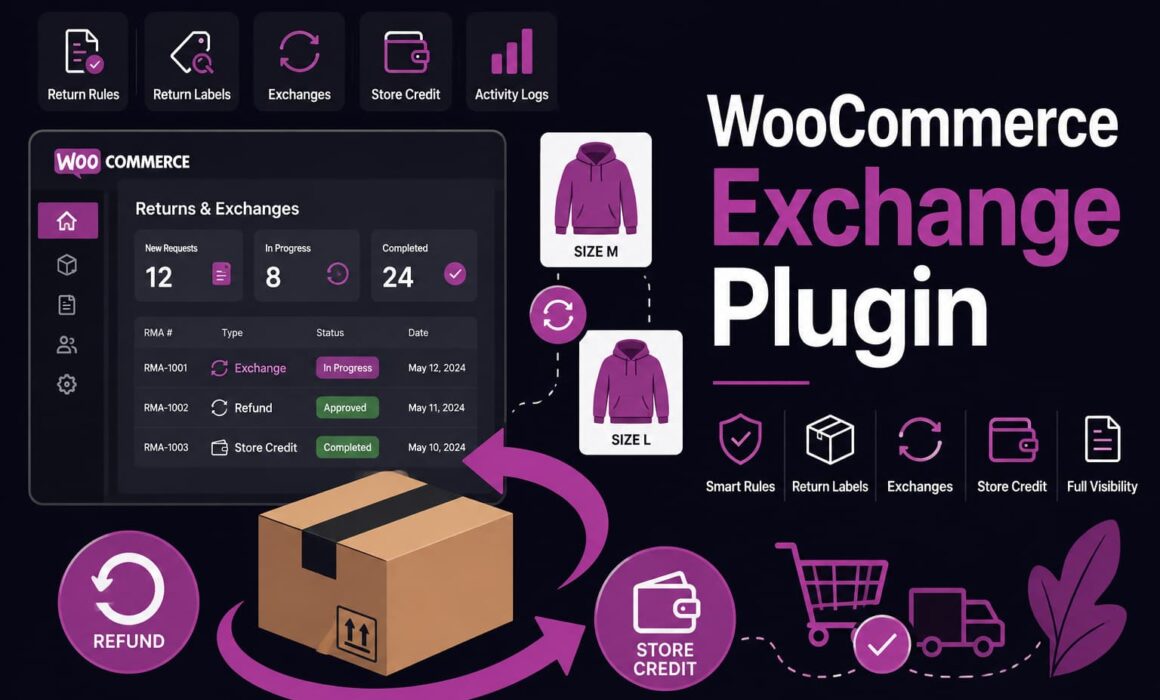
WooCommerce Exchange Plugin: Stop Losing Revenue to Refunds
A WooCommerce exchange plugin is not just a nice extra for stores that want to be helpful. It is a practical way to stop every return from turning into lost revenue. When a customer likes the product but bought the wrong size, colour, length, variation or quantity, a refund is often the worst commercial outcome.
The real ecommerce problem is not that customers return products. The problem is that many WooCommerce stores handle exchanges manually, slowly and inconsistently. A customer emails support, someone checks the order, someone creates a replacement order, someone notes the return, someone else checks stock, and by the time the process is finished, the store has spent more time than the margin justified.
Why a WooCommerce exchange plugin matters for serious ecommerce stores
Refunds are clean from an accounting point of view, but commercially blunt. They close the transaction. Exchanges do something more useful: they keep the customer in the buying journey.
In many ecommerce categories, exchanges are completely normal. Fashion customers pick the wrong size. Footwear customers need a different fit. Pet accessory customers choose the wrong collar width. Homeware customers want a different colour. Beauty and lifestyle customers may want a different variant. In all of those cases, the customer has not rejected the brand. They still want the product, just not the exact item they received.
If your WooCommerce store does not have a proper exchange workflow, support staff often fall back to refunds because they are easier to process. That makes the return process look tidy in WooCommerce, but it quietly damages revenue.
Commercial point: an exchange can protect the original order value, reduce refund leakage and keep the customer engaged. A refund usually sends the customer back into the market to buy from someone else.
This is where RMA Pro for WooCommerce becomes useful. It gives WooCommerce stores a return management system that can handle exchanges, refunds, store credit, rules, return labels and RMA activity in a more structured way.
WooCommerce exchange plugin problems basic return tools often miss
Many basic WooCommerce returns plugins are built around refund requests. That may be enough for very simple stores, but it does not reflect how returns actually work once product ranges, variations and customer service volume increase.
An exchange is not just a refund with a different label. It affects inventory, fulfilment, customer communication, eligibility checks, return labels, order notes, warehouse handling and customer retention. If those steps are not connected, the process becomes manual and fragile.
The usual manual workflow looks like this:
- The customer emails asking to swap an item.
- Support checks the order and asks which replacement they want.
- Someone checks stock manually.
- A replacement order is created or edited.
- The original return is tracked separately.
- The warehouse waits for instructions.
- The customer chases for an update.
That may work once or twice. At scale, it creates missed exchanges, wrong replacements, stock errors and unnecessary refunds.
| Area | Basic WooCommerce Returns Plugins | RMA Pro |
|---|---|---|
| Exchange handling | Often refund-focused, with exchanges handled manually through emails or order notes. | Supports exchange workflows as part of the wider return management process. |
| Customer request flow | Usually provides a simple form with limited structure. | Provides a return portal where customers can submit clearer return, refund, exchange or store credit requests. |
| Eligibility rules | May rely on staff manually checking the return policy. | Uses return rules to control eligibility by product, customer, order, zone and policy conditions. |
| Mixed return requests | Can struggle when one order contains both refund and exchange outcomes. | Helps manage more complex RMA cases where different items need different resolutions. |
| Store credit | Often missing or handled using separate tools. | Supports store credit as a retention-focused alternative to refunds. |
| Return labels | Frequently requires separate label creation and manual customer messages. | Supports return label workflows and Shippo support where relevant. |
| Visibility | Limited history and weak audit trail. | Activity logs help teams see what happened, when it happened and how the RMA was handled. |
The key difference is control. A basic return plugin may let the customer ask for help. RMA Pro helps the store manage what happens next.
How a WooCommerce exchange plugin protects revenue
Every refund reverses revenue. An exchange keeps that revenue alive. That distinction matters more than many store owners realise.
Take a simple example. A customer buys a £70 jacket in medium but needs a large. If the store only offers a refund workflow, the customer may get their money back and buy the replacement elsewhere. If the store offers a clear exchange workflow, the customer can stay with the store and complete the same buying intent.
The customer was not unhappy with the brand. They just needed a better outcome. A WooCommerce exchange plugin helps capture that intent before it disappears.
Refund-first workflow
The original sale is reversed. The customer may or may not come back. Support closes the ticket, but revenue leaves the business.
Exchange-first workflow
The customer gets the right product. The store protects order value. The relationship continues without forcing a new purchase journey.
This is especially important when paid acquisition costs are high. If you spent money to win the customer, refunding them unnecessarily wastes part of that acquisition cost. An exchange gives you a better chance of turning that first order into a retained customer.
WooCommerce exchange plugin workflows for mixed return requests
Real return requests are rarely neat. A customer may return several items from one order, but want a different outcome for each one.
For example, a customer buys four items:
- A hoodie in medium that needs exchanging for large.
- A pair of trousers that should be refunded.
- A T-shirt they want to keep.
- A second colour of the same hoodie they want as store credit instead of a refund.
A weak return process turns this into a support thread. Staff have to interpret the request, split the outcomes manually, check what has been returned and make sure the correct financial action is taken.
A more advanced WooCommerce returns and exchanges plugin gives the store a cleaner way to manage these different outcomes inside one RMA workflow.
Why mixed return handling matters
Mixed returns matter because they are where manual workflows break. A simple one-item refund is easy. A return involving exchange, refund and store credit creates more places for mistakes.
The common problems are:
- The wrong item gets refunded.
- The exchange gets forgotten while the refund is processed.
- Warehouse staff receive the parcel but do not know the intended resolution.
- The customer receives a refund when they actually wanted a replacement.
- Support has to reopen the issue because the first action was incomplete.
These mistakes are not just annoying. They create avoidable cost and make the store look disorganised. RMA Pro is built to give stores better structure around these decisions.
How return rules stop exchanges becoming a free-for-all
Offering exchanges does not mean accepting every request. A strong exchange process needs clear eligibility rules. Otherwise, support staff are left making judgement calls under pressure, and customers quickly learn where the policy is loose.
Return rules help define what can be exchanged, when it can be exchanged and under which conditions. This can include the order age, product type, customer status, location, previous behaviour and other commercial rules.
Example: high-risk customer controlled through rules
A customer repeatedly orders multiple sizes, returns most of the order and asks for repeated exchanges after using the products. Without rules, each request may look normal in isolation. With return rules and activity history, the store can apply stricter eligibility, require manual approval or limit certain exchange options.
This is not about being difficult with customers. It is about protecting the store from inconsistent decisions and margin leakage. Most customers are reasonable. Rules exist for the edge cases that cost time, money and patience.
With RMA Pro, stores can use rules to bring structure to exchange eligibility rather than relying on staff memory or one-off judgement.
Why store credit belongs inside your exchange strategy
Store credit is often treated as a separate feature, but it belongs closely beside exchanges. Both exist to retain value inside the business.
Sometimes a direct exchange is not possible. The replacement size may be out of stock. The customer may want time to choose something else. The item may be seasonal. In those cases, store credit can be a better alternative than a refund.
Store credit scenario: keeping the customer active
A customer returns a £55 product because the colour is not right. The size they want is unavailable, so an exchange cannot happen immediately. If the store issues a refund, the sale is lost. If the store offers store credit, the customer keeps value with the store and may later spend £75 on a different item.
This is not magic. It is retention. The customer still gets a fair outcome, but the store avoids pushing them away from the brand.
Used properly, store credit gives ecommerce stores more flexibility. It can support customer service, protect cash flow and encourage repeat purchasing. RMA Pro includes store credit as part of the wider return management system, so it can sit naturally beside refunds and exchanges.
How a WooCommerce exchange plugin reduces admin workload
Exchange admin is often more time-consuming than refund admin. A refund is a fairly direct action. An exchange requires checking what came back, confirming the replacement item, checking stock, updating the customer, possibly creating a new fulfilment instruction and recording the decision.
When this happens manually, support teams waste time moving information between systems. Order details sit in WooCommerce. Customer messages sit in the inbox or helpdesk. Return instructions sit in a template. Warehouse notes may sit somewhere else entirely.
A WooCommerce exchange plugin reduces admin by creating a more structured process from the start.
| Manual exchange task | Why it slows the store down | RMA Pro workflow benefit |
|---|---|---|
| Checking the order manually | Staff spend time confirming basic details before they can make a decision. | The request is connected to the WooCommerce order and handled through an RMA workflow. |
| Asking what the customer wants | Unclear emails create follow-up questions and delays. | The portal helps capture clearer exchange, refund or store credit intent. |
| Applying the return policy | Staff may interpret rules differently. | Return rules help control eligibility more consistently. |
| Sending return labels | Labels and return instructions can become disconnected from the RMA. | Return label and Shippo support can keep the workflow more connected. |
| Tracking what happened | Support, admin and warehouse teams can lose context. | Activity logs make the exchange history easier to review. |
Reducing admin is not just about saving time. It also reduces inconsistency. The fewer manual judgement calls and duplicated notes involved, the less likely the store is to send the wrong replacement or refund the wrong item.
Why the return portal improves the exchange experience
Customers do not want to write an essay to exchange a product. They want a clear process. They want to know whether an exchange is possible, what they need to send back and what happens next.
A return portal gives customers a more professional route than a generic contact form. It also gives the store better information. That balance matters. A good customer experience should not remove operational control from the store.
For example, a customer who wants a different size should not have to email three times to explain the issue. Equally, the store should not approve an exchange if the product is outside the return window, excluded by policy or linked to suspicious behaviour.
A structured return portal helps both sides:
- The customer gets a clear path to request an exchange.
- The store receives a structured request linked to the order.
- Rules help determine whether the request should be allowed or reviewed.
- Activity logs help staff see what has already happened.
- Status updates can reduce avoidable customer chasing.
This makes the exchange process feel calmer and more organised. That matters because returns are often moments of friction. Handle them badly and the customer may never order again. Handle them well and the customer may still become loyal.
Return windows by zone make exchange rules more realistic
One return window for every customer can be too rigid. Delivery speed, return shipping time and operational cost can vary by region. A customer in one delivery zone may receive an item quickly and have easy return options. Another customer may face longer shipping times and slower return movement.
Return windows by zone allow stores to build more realistic policies. This is useful when stores sell across different regions, have different carrier options or want to give selected customer groups more flexibility.
VIP customer scenario
A high-value customer with a strong purchase history asks to exchange an item slightly outside the standard window. A rigid process gives the same answer to everyone. A more flexible return management system can support extended windows or manual review for better customers, while still keeping normal rules in place for the wider customer base.
This is commercially useful because not all customers carry the same value or risk. A VIP customer with a high lifetime value may justify more flexibility. A repeat abuser may need tighter control. A WooCommerce exchange plugin should support that difference rather than forcing staff to remember exceptions manually.
Return labels and Shippo support make exchanges operationally cleaner
An exchange is not complete when the customer submits the request. The original item still needs to come back, the replacement needs to be managed and the warehouse needs to understand what it is receiving.
If return labels are handled outside the exchange workflow, the process becomes messy. Support may approve the request, but another system creates the label. The warehouse receives a parcel but cannot easily connect it to the exchange. Admin may not know whether it is safe to release the replacement.
Return label support helps connect the physical return to the digital request. Shippo support can also help stores that want a more joined-up label workflow rather than manually generating labels elsewhere.
Why this matters in the warehouse
The warehouse does not need a long customer support thread. It needs clear handling instructions. Is the item expected back? Is it for refund, exchange or inspection? Has the replacement already been approved? Is the returned item resellable?
When those answers are buried across emails, order notes and shipping tools, mistakes happen. A connected RMA process helps reduce those mistakes and gives the team a clearer route from request to resolution.
Activity logs give exchanges a proper audit trail
Exchange requests can change. A customer may first ask for a different size, then request store credit. Support may approve an exchange, then the warehouse may find the item has been used or damaged. A replacement may be delayed because stock has changed.
Without activity logs, the team ends up asking each other what happened. That wastes time and creates customer service risk.
Activity logs help answer basic but important questions:
- Who approved the exchange?
- When was the request submitted?
- Was the customer offered refund, exchange or store credit?
- Was a label created?
- Has the returned item been received?
- Was an exception made?
This matters for staff accountability, customer disputes and operational review. It also helps store owners understand whether their return policy is being applied properly.
RMA Pro includes activity logs so stores can manage the exchange process with better visibility rather than relying on memory and scattered notes.
WooCommerce exchange plugin compliance and customer expectations
Returns and exchanges sit close to consumer rights, so UK ecommerce stores need to be careful with their policies. A plugin does not replace legal advice, but the system should help stores apply their policy consistently.
Official GOV.UK guidance says online, mail and telephone customers usually have the right to cancel an order for a limited time, and the guidance explains the 14-day cancellation and return periods for many distance sales. It also lists product types where normal cancellation rights may not apply, such as personalised or perishable items. You can review the official guidance here: accepting returns and giving refunds.
For WooCommerce stores, the operational point is simple: your return and exchange workflow should not be guesswork. Staff need to know what is eligible, what is excluded, what requires review and what has already been promised to the customer.
A structured exchange process supports consistency. It helps prevent a situation where one staff member approves something that another would have rejected, or where a customer receives mixed messages because the policy lives in several different places.
When a WooCommerce exchange plugin becomes essential
Some stores can manage exchanges manually for a while. That does not mean the process is good. It just means the cost has not become obvious yet.
A WooCommerce exchange plugin becomes important when the store starts seeing patterns like these:
- Support staff repeatedly create replacement orders manually.
- Customers chase exchange updates because the process is unclear.
- Refunds are issued even when the customer would have accepted an exchange.
- Stock checks are handled manually before each exchange.
- Return labels are created separately from the return request.
- Warehouse staff do not always know whether a returned item is linked to an exchange.
- High-risk customers are handled inconsistently.
- VIP customers cannot be given flexible treatment without manual notes.
- Store credit is not used properly because it sits outside the return workflow.
These are signs that the store has outgrown a basic returns setup. At that point, the issue is not whether exchanges are possible. The issue is whether they are controlled, visible and commercially useful.
How RMA Pro fits into a better exchange workflow
RMA Pro is designed for WooCommerce stores that need more than a simple refund request form. It gives stores a more complete return management system where exchanges can sit alongside refunds, store credit, rules, return labels and activity tracking.
A practical exchange workflow should look something like this:
- The customer submits a structured return or exchange request through the portal.
- The system helps the store review eligibility using return rules.
- Support decides whether the request should be approved, rejected, exchanged, refunded or converted into store credit.
- Return label handling supports the physical return process.
- Warehouse and admin teams can refer to the RMA activity history.
- The customer receives a clearer and more consistent experience.
That workflow is much stronger than “send us an email and we will sort it out”. It gives the customer confidence and gives the store control.
If you want a return management system for WooCommerce that can support exchanges properly, RMA Pro is built for the operational side of returns, not just the customer-facing request form.
Choosing a WooCommerce exchange plugin without creating more work
The wrong plugin can create another admin layer rather than removing one. Store owners should not only ask whether a plugin supports exchanges. They should ask whether it supports the full workflow around exchanges.
Useful questions include:
- Can customers submit structured exchange requests?
- Can the store handle refunds, exchanges and store credit in one return management workflow?
- Can rules control eligibility before staff waste time reviewing invalid requests?
- Can high-risk customers or restricted products be handled differently?
- Can VIP customers or specific zones receive more flexible return windows?
- Can return labels be managed cleanly?
- Can activity logs show what happened during the RMA process?
- Will the system still work when order volume increases?
If the answer to most of those questions is no, the plugin may be too basic for a growing store.
A good WooCommerce exchange plugin should reduce decisions, not create more of them. It should help your team move from request to resolution with less chasing, less copying and fewer judgement calls.
Build an exchange process that keeps more revenue in the store
Exchanges are not just customer service. They are revenue protection. If a customer wants the same product in a different size, colour or variation, the store should make that path easier than a refund.
A basic returns form can collect a message. That is not enough for a serious WooCommerce store. The stronger approach is to manage returns, exchanges, store credit, labels, rules and activity history as one connected workflow.
That gives customers a clearer process, gives staff less manual admin and gives the business a better chance of keeping sales that would otherwise disappear into refunds.
If your current exchange process still relies on emails, manual order notes and staff memory, RMA Pro for WooCommerce gives you a more practical way to manage exchanges inside WooCommerce while keeping control over the full return lifecycle.