
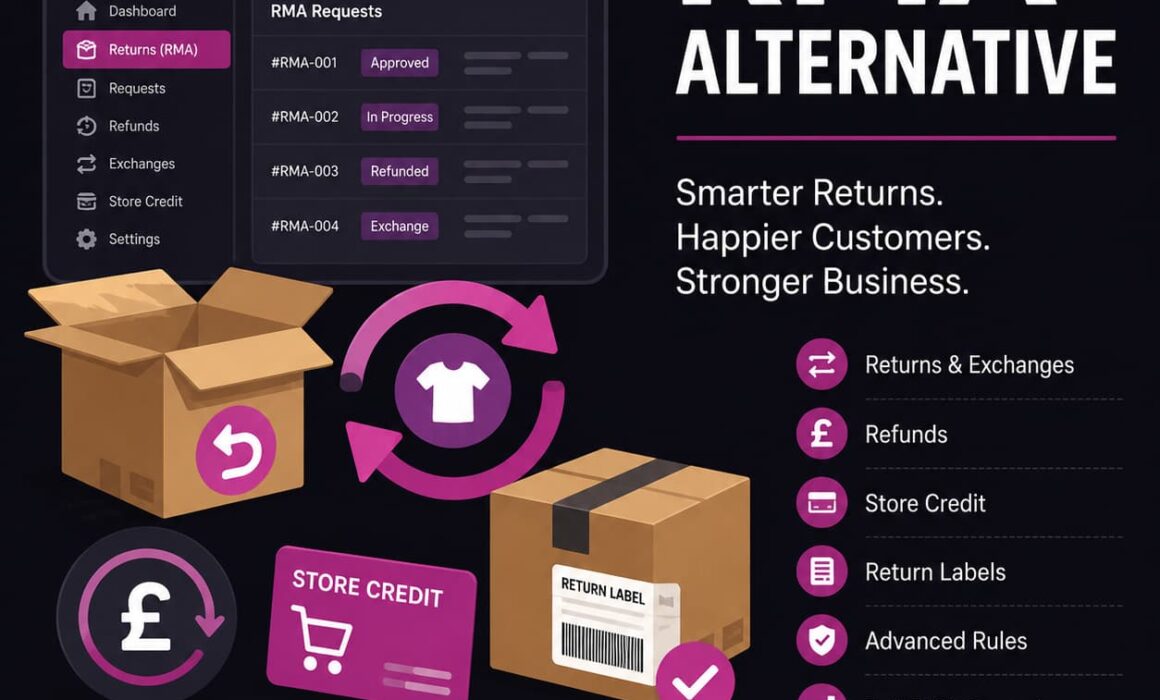
RMA Return Refund & Exchange For WooCommerce Pro Alternative
Choosing a RMA Return Refund & Exchange For WooCommerce Pro alternative is not just about finding another refund button for WooCommerce. It is about choosing a returns system that can cope with real ecommerce operations – mixed requests, exchange values, store credit, return labels, eligibility rules, abuse control and the daily admin work that quietly eats into your margin.
For small stores, a basic return request form may be enough. For a serious WooCommerce store, returns become an operational workflow. A customer might want to return one item, exchange another, use store credit, upload evidence, ask about a label and chase support three times before the parcel has even moved. That is where a more structured system matters.
This guide explains why store owners look for an alternative to RMA Return Refund & Exchange For WooCommerce Pro, what to look for in a proper WooCommerce returns plugin, and how RMA Pro for WooCommerce is built for stores that need more control than a simple refund workflow.
Why Look for a RMA Return Refund & Exchange For WooCommerce Pro Alternative?
If you are searching for a RMA Return Refund & Exchange For WooCommerce Pro alternative, you are probably not at the “what is a return?” stage. You are likely comparing WooCommerce RMA plugins because your current setup is either too manual, too rigid, too awkward for customers, or not giving your team enough visibility.
That matters because returns are not just a customer service task. They affect stock, cash flow, warehouse workload, customer retention, support volume and fraud risk. A poor returns workflow can create hidden costs even when the refund itself is small.
For example, imagine a fashion order with four items:
- The customer wants to exchange one size.
- They want a refund on another item.
- They are happy to keep store credit for a third item.
- One item is outside your normal return window.
A basic plugin may let them submit a request, but that is not the same as managing the commercial reality of that request. Your team still needs to decide what is eligible, what value is available, whether tax is included, whether store credit should be issued, whether a label is needed, and what has already happened on the request.
Commercial point: a return system should not just collect return requests. It should reduce the number of decisions your team has to make manually, while still giving you control when the case is unusual.
What a Serious WooCommerce Returns Plugin Needs to Handle
WooCommerce already supports refunds inside the order admin area. WooCommerce’s own documentation explains that refunds can be processed manually or automatically from the order screen, with partial refunds handled through product quantities and amounts. That is useful, but it is not a full customer-facing returns operation. For reference, WooCommerce’s official refund documentation covers the core refund process here: WooCommerce refunds documentation.
The missing layer is everything before and around the refund. Customers need a return portal. Admins need request records. Teams need activity logs. Rules need to stop invalid requests before they become support tickets. Exchanges need to protect revenue instead of defaulting everything to refunds. Store credit needs to keep value in the business. Labels need to be handled cleanly.
That is where a dedicated WooCommerce returns plugin becomes operationally important.
Basic WooCommerce Returns Plugins vs RMA Pro
Many return plugins look similar at first glance. They mention refunds, exchanges, return forms and emails. The difference appears when you map the plugin against the real workflow of an ecommerce store.
| Area | Basic WooCommerce Returns Plugins | RMA Pro |
|---|---|---|
| Return requests | Usually provide a simple customer form or request button. | Provides a structured returns portal and admin RMA records for managing requests properly. |
| Refunds | Often rely on manual admin decisions after submission. | Helps control refund values, returned items and request handling from the RMA workflow. |
| Exchanges | May support basic exchange requests, but complex mixed cases can become awkward. | Designed to handle exchange-led workflows where retaining revenue matters. |
| Store credit | Often limited or dependent on separate wallet behaviour. | Supports store credit as a retention tool, not just a fallback refund method. |
| Rules and abuse control | Basic return windows or simple product exclusions. | Advanced rules help control eligibility by customer, product, zone, order context and store policy. |
| Operational visibility | Can leave teams relying on order notes, emails and memory. | Activity logs and RMA records give a clearer audit trail for each request. |
| Return labels | Label handling may be manual or disconnected. | Return label workflows and Shippo support help reduce manual fulfilment admin. |
RMA Return Refund & Exchange For WooCommerce Pro Alternative for Better Admin Control
A good RMA Return Refund & Exchange For WooCommerce Pro alternative should make admin work lighter, not just move it to a different screen.
Returns create admin because every case carries context. Was the order delivered inside the return window? Is the item excluded? Has the customer returned multiple items recently? Is the product personalised? Is the customer asking for an exchange that costs more than the original item? Has someone already approved a label?
When those answers live across emails, order notes and separate spreadsheets, the workflow becomes slow and inconsistent. One team member approves something another would have declined. A customer receives store credit when they should have had a refund. A return gets processed without checking whether the item was actually selected.
RMA Pro for WooCommerce is designed to centralise the return request into a proper RMA record. That gives the admin team a clearer place to review the returned items, customer request, selected resolution and request history.
Example: mixed return with exchange and refund
A customer buys three items. They want to exchange a jacket for another size, refund a pair of trousers and keep a shirt. A simple workflow may force your team to treat this as one generic return or manually split the logic afterwards.
With a more advanced returns system, the customer’s choices can be captured more clearly. The admin team can see which items are being returned, what resolution applies, and what value is available for refund, store credit or exchange handling. That reduces mistakes and stops your team from doing refund maths in the order notes like it is 2012.
Using Rules to Control Eligibility and Prevent Return Abuse
Return rules are where a WooCommerce returns system starts to protect the business. Without rules, every customer can often submit a request and leave your team to reject invalid cases manually. That sounds harmless until support is dealing with avoidable tickets every morning.
RMA Pro’s rule-based approach is useful because ecommerce policies are rarely one-size-fits-all. You may want one rule for sale items, another for personalised products, another for international customers, and another for VIP customers.
High-risk customer scenario
Suppose a customer repeatedly buys high-value items, wears them, returns them close to the deadline and asks for full refunds. A basic return form may keep allowing requests because the order is technically inside the return window.
With rules, the store can apply tighter controls. That might mean limiting return methods, excluding certain products, narrowing eligibility, or making the request require more deliberate admin review. The aim is not to punish normal customers. The aim is to stop repeat abuse from being treated the same as a genuine return.
VIP customer scenario
The opposite also matters. A good customer who spends regularly may deserve more flexibility than a first-time customer buying a clearance item. RMA Pro can support more nuanced return handling, such as extended windows or more flexible resolution options for specific customer groups or situations.
That is the real value of rules. They let you run returns like a business policy, not like a public suggestion box.
Protecting Revenue with Exchanges Instead of Default Refunds
Refunds remove revenue from the business. Exchanges keep the customer relationship alive and can preserve the sale. That is why exchanges should not feel like an afterthought inside your WooCommerce returns plugin.
For clothing, footwear, accessories, homeware, pet products and many other ecommerce categories, customers often return because the size, colour or variant is wrong. They may still want the product. If the return process makes refunds easier than exchanges, you are quietly training customers to take money back instead of choosing another item.
RMA Pro helps position exchanges as a proper resolution method. That matters commercially because the store can keep more value inside the order journey. Even when there is a price difference, the process can be managed more cleanly than a manual “email us and we will sort it” setup.
Before
Customer returns the wrong size. Support issues a refund. Customer may or may not reorder.
After
Customer requests an exchange. The store keeps the customer in the buying journey and protects more revenue.
Store Credit Turns Returns into Retention
Store credit is not just a softer refund. Used properly, it is a retention tool. When a customer chooses store credit, the value stays in the business and gives them a reason to buy again.
This is particularly useful when customers like the brand but chose the wrong product. If they had a good buying experience, a good returns experience can keep them from drifting to a competitor. A clunky returns process does the opposite. It turns a manageable issue into a reason not to come back.
Store credit scenario
A customer returns a £70 item. Instead of refunding the payment method, they accept store credit because they are waiting for another item to restock. The store keeps the value, the customer has a reason to return, and support does not need to manually create a coupon in a panic while answering three other tickets.
For ecommerce stores with repeat-purchase potential, this is where a return management system for WooCommerce can contribute directly to customer lifetime value.
Return Windows by Zone Give Stores More Operational Flexibility
Return windows are not always simple. A UK customer and an international customer do not have the same postage time, customs risk or delivery reliability. A rigid return window can either be too generous for local orders or too harsh for international orders.
Return windows by zone help solve that problem. They allow the store to apply more realistic policies based on where the customer is. That can reduce disputes and make the policy easier to defend.
For example, a domestic order might have a shorter return window because the parcel can reasonably reach the customer and return quickly. An international order might need longer because delivery and return shipping take more time. Without zone-aware handling, your team ends up making exceptions manually, which creates inconsistency.
RMA Pro is useful here because it treats returns as an operational system. The plugin is not just asking “does this order exist?” It helps the store decide whether a request fits the policy that actually applies.
Activity Logs Make Returns Easier to Audit
When returns go wrong, the first question is usually simple: who did what?
Did the customer submit the request? Did an admin approve it? Was store credit issued? Was a label generated? Was an email sent? Was the request changed after approval?
If your team cannot answer those questions quickly, returns become difficult to manage. Activity logs give your store a better audit trail. That helps with customer disputes, internal handovers and general admin discipline.
This is especially important as the business grows. One person might know every return by memory. A team cannot operate that way. A proper WooCommerce RMA plugin should make the request history visible enough that another team member can pick it up without asking around.
Return Labels and Shippo Support Reduce Manual Fulfilment Work
Return labels are one of those workflow details that sound small until you process them every day. If labels are handled manually, support staff have to create labels, send them to customers, update records and keep track of what has been issued.
That creates two problems. First, it wastes admin time. Second, it increases the risk of mistakes. A customer can be sent the wrong label, a return can be approved without a label, or the warehouse can receive a parcel with no clear RMA context.
RMA Pro’s support for return label workflows and Shippo helps connect the return request to the shipping process more cleanly. For stores that handle meaningful return volume, that is the difference between a process and a recurring mess.
Why Automation Matters as WooCommerce Stores Scale
Manual returns feel manageable until order volume grows. Then the cracks appear quickly. Support tickets increase, customers chase updates, admins make inconsistent decisions and refunds take longer than they should.
Automation does not mean removing human judgement. It means removing repetitive handling where the decision is already obvious.
- If an item is outside the return window, the system should help control that.
- If a product is excluded, the customer should not create avoidable admin.
- If an exchange keeps the order value in the business, the workflow should support it.
- If store credit is available, it should be easy to offer and manage.
- If a label is needed, it should fit into the return record.
That is why a serious RMA Return Refund & Exchange For WooCommerce Pro alternative should be judged on operational fit, not just feature count.
When RMA Pro Is the Better Fit
RMA Pro is best suited to WooCommerce stores that have moved beyond occasional refunds and need returns to be managed consistently. That includes stores with regular exchanges, product-specific policies, customer-specific rules, store credit workflows, return labels and admin teams who need visibility.
It is particularly useful when:
- You want to reduce manual support work around returns.
- You need a structured customer returns portal.
- You want to protect revenue through exchanges and store credit.
- You need return rules to prevent invalid or abusive requests.
- You need better admin visibility through RMA records and activity logs.
- You want a returns workflow that feels built for real ecommerce operations.
For a very small store with one or two returns a month, a basic form might be enough. For a growing WooCommerce store, the cost of weak return management is usually paid through admin time, lost revenue, support friction and inconsistent decisions.
Choosing a Returns System That Matches How Your Store Actually Works
The best RMA Return Refund & Exchange For WooCommerce Pro alternative is not simply the plugin with the longest feature list. It is the one that matches how your store actually handles returns when customers, stock, payment values and policies collide.
RMA Pro is built around that more practical view of ecommerce. Returns are not just refunds. They are customer service moments, operational records, stock decisions, revenue risks and retention opportunities. When those parts are handled in one structured workflow, your store becomes easier to manage and your customers get a clearer experience.
If you want a more advanced, commercially aware way to manage WooCommerce returns, refunds, exchanges, store credit, rules and labels, take a closer look at RMA Pro for WooCommerce.